New to Archive. Org? Here is an overview of the Homepage
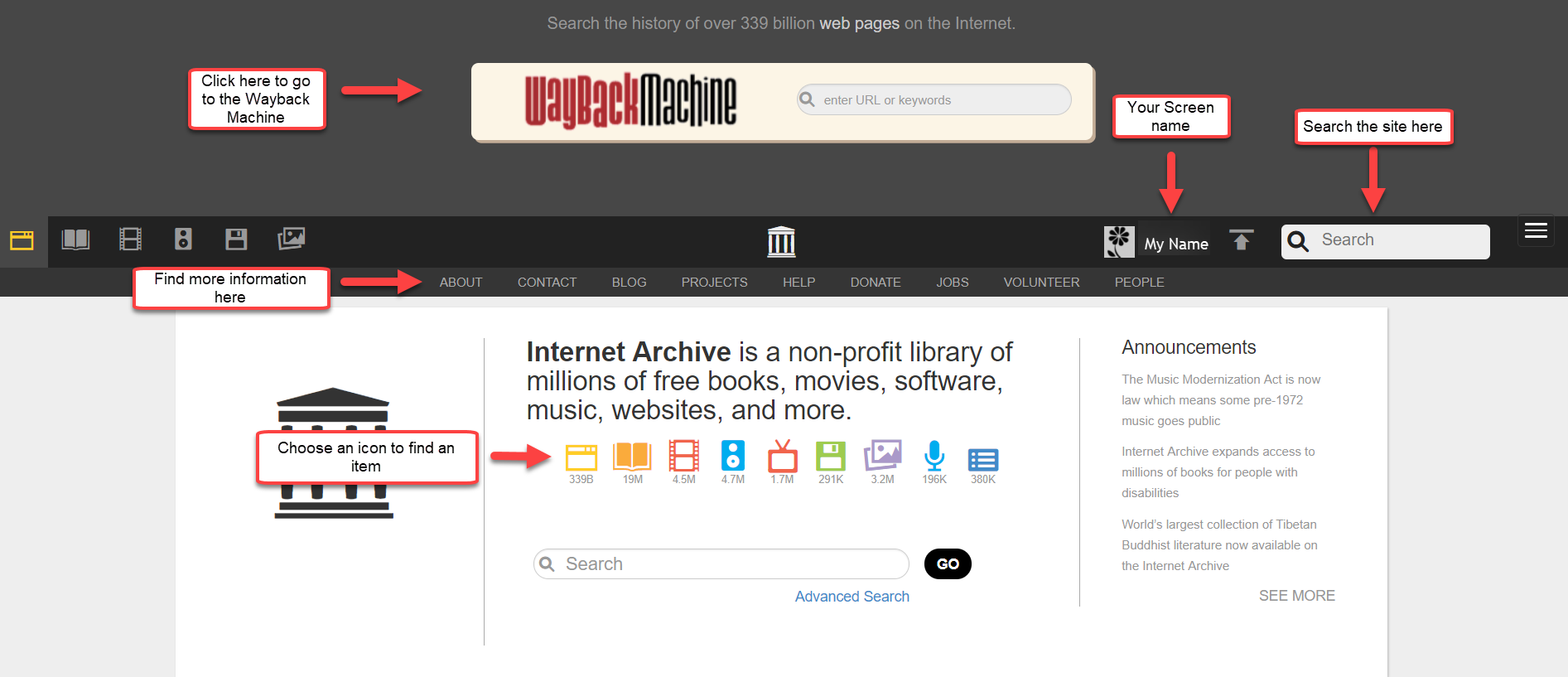
Where do I view my items?

What are the top media types?
The following 6 items are the top media types depicted by the icons below. If you click on them you will be directed to the respective collections.

What are the icons on the homepage?
These icons are links to help you find that particular media type.

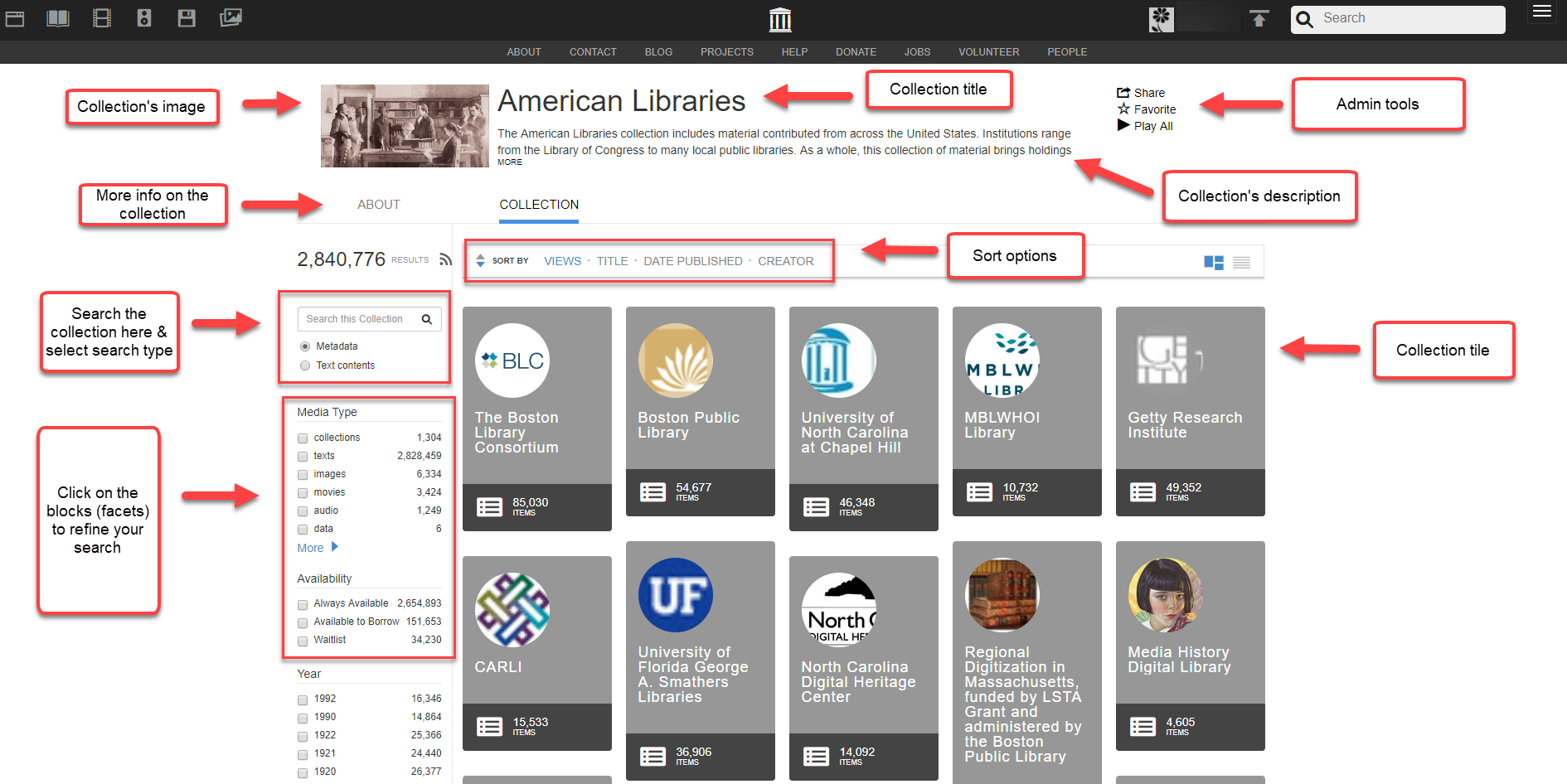
What will I find on a collections page?
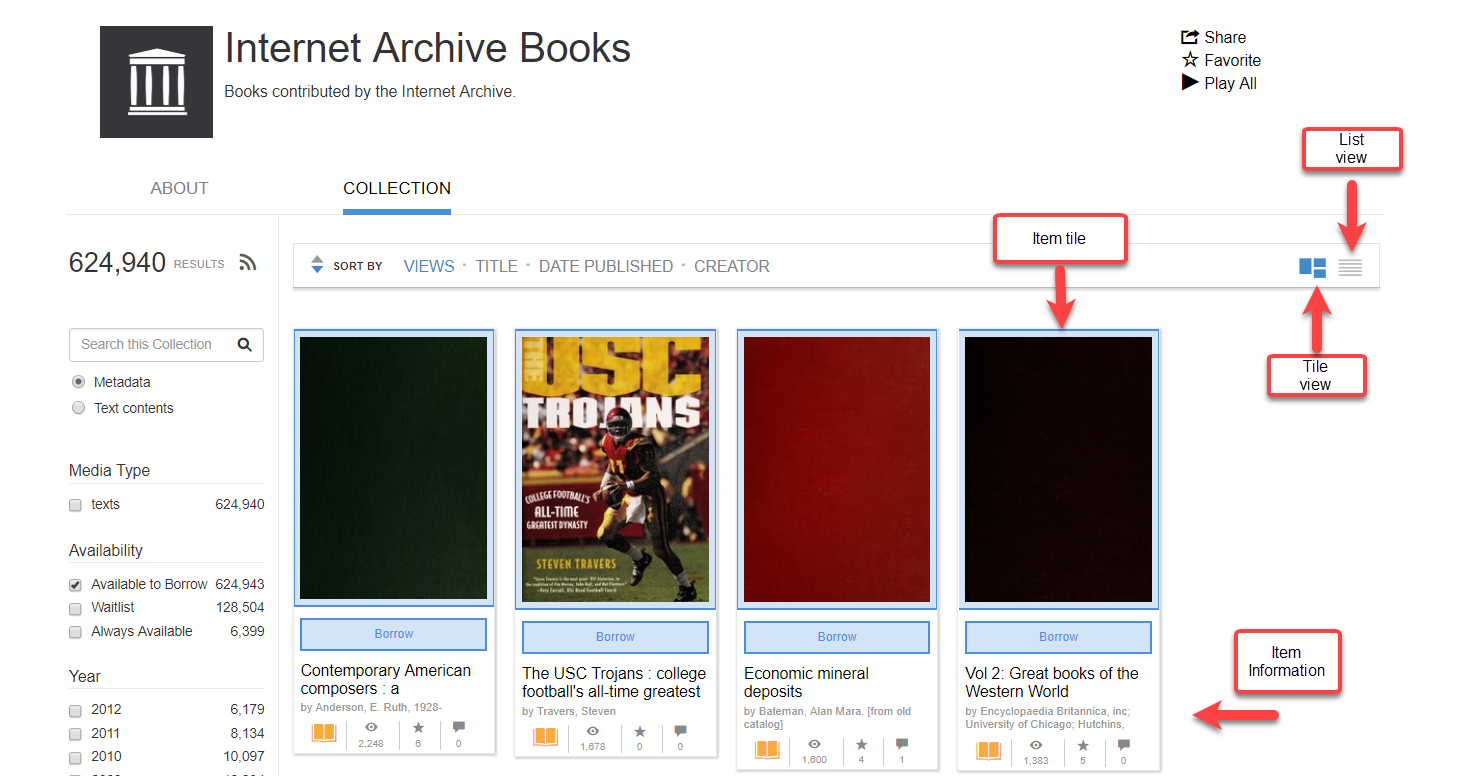
Can I view in tile or list format?
Yes, you can. View the diagram below.
How do I search for Items?

Glossary of terms on the overview page
|
Mediatype |
These are the silos, audio, movies, software, images, data, and web, that the site is organized in. |
|
Collection |
A group of item pages organized under a collections page by the system or an administrator. |
|
Item |
An item is a page on the site with data and metadata. Items can contain a single uploaded file such as a book, or many like a live concert with many songs. |
|
Facets |
Metadata options list often on the left side of search results to narrow or filter your results. |
|
Account Pages |
These are the pages associated with your account and linked to your username. Favorites, Settings, Loans, and Library allow you to see your activity on the site. |
Comments
0 comments
Article is closed for comments.